
Multi-agent terminal
for Linux._
A GTK/VTE terminal written in Rust. Each workspace is a tiling pane layout you can dedicate to one agent — Codex, Claude Code, Gemini CLI, or anything else that runs in a shell. Your keys, your subscription, your machine.
One window. Many workspaces. Many agents.
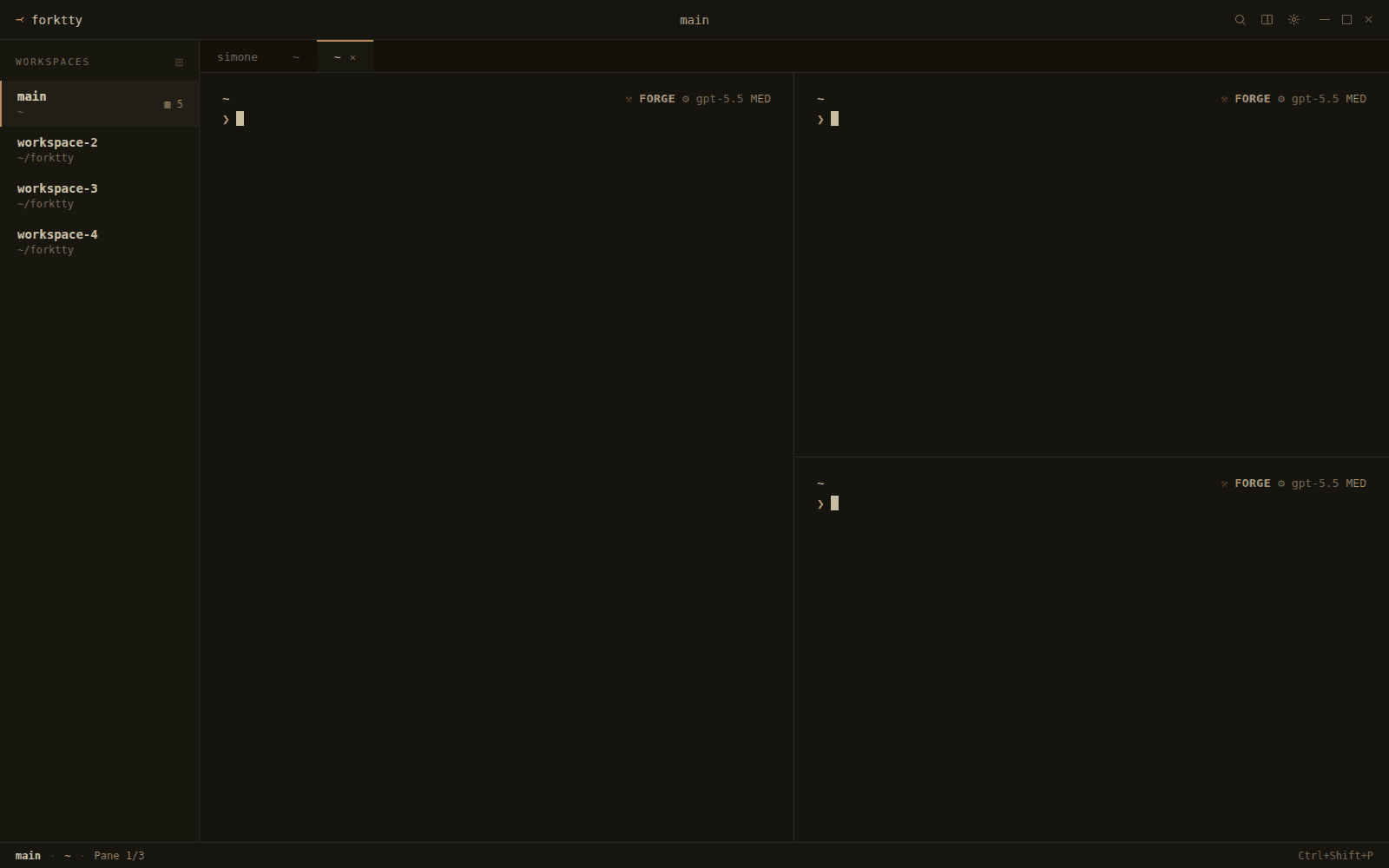
ForkTTY on Linux. Each workspace owns a tiling pane layout — switch with a single shortcut and pick up exactly where you left off.
Latest release
Pre-built binaries for x86_64 Linux. Verify checksums against SHA256SUMS, then install the .deb on Debian/Ubuntu, or run the AppImage if you’re on another distro.
.deb package
recommendedDebian / Ubuntu — the tested path
AppImage
experimentalExperimental portable Linux build
All assets
manifestSource tarballs and additional artifacts.
No additional assets in this release.
Browse every releaseNative Linux, not a port.
ForkTTY is a GTK4 application that uses VTE — the same terminal widget behind GNOME Terminal and Tilix — so xterm emulation, true colour, ligatures, and scrollback work the way every other VTE terminal does. No Electron, no web shell, no embedded browser.
The orchestration sits in Rust on top of that: workspaces hold tiling pane layouts, each pane is a real PTY, and the agent CLI talking to it has no idea it’s being multiplexed.
Bring your own CLI
ForkTTY ships no model, no proxy, no API key. Install Codex, Claude Code, Gemini CLI, aider, or a custom script and run it in a pane. Your credentials, your rate limits, your bill.
Workspaces, not tabs
A workspace is a saved pane layout you can dedicate to one task or one agent. Switch with a single shortcut; the panes stay attached to their PTYs in the background.
Local-first, no telemetry
Sessions, history, and keys live on your machine. ForkTTY makes zero outbound connections for analytics, updates, or crash reporting. It’s open source under AGPL-3.0 — fork it, audit it, patch it.
Install & verify
ForkTTY is distributed as standard Linux artifacts. No account, no cloud setup, no first-run wizard.
Verify checksums
Always do this before running an unknown binary.
# Download both the artifact and SHA256SUMS$ sha256sum -c SHA256SUMS --ignore-missing
.deb package
Recommended on Debian / Ubuntu and derivatives.
$ sudo apt install ./forktty_*.deb$ forktty
AppImage
Experimental portable Linux build. Prefer the .deb on Debian/Ubuntu.
$ chmod +x forktty-*.AppImage$ ./forktty-*.AppImage
Build from source
Requires Rust toolchain and GTK4 / VTE 0.74+ development packages.
$ git clone https://github.com/Lucenx9/forktty.git$ cd forktty$ cargo build -p forktty-ui-gtk --features gtk-vte --release$ ./target/release/forktty
This is early software.
ForkTTY is in early alpha. Expect rough edges, breaking changes, and the occasional crash. We’d rather ship honestly than ship a polished facade.
If you hit something, please open an issue on GitHub — minimal repro > long thread.
- experimentalAppImage builds are best-effort and not yet signed. Prefer the .deb if you’re on Debian/Ubuntu.
- breakingConfig format, keybinds, and CLI flags will change without migration paths during alpha.
- linux onlyNo macOS, no Windows, no WSL build. Wayland and X11 both work via GTK4.
- no telemetryForkTTY does not collect or transmit usage data. Crashes stay local unless you choose to share them.
- byo keysAgent CLIs use your own credentials and subscriptions. ForkTTY never proxies your prompts.